Dawn Apart PC System Requirements & Performance
Official Steam minimum/recommended specs and how to keep large colonies smooth.
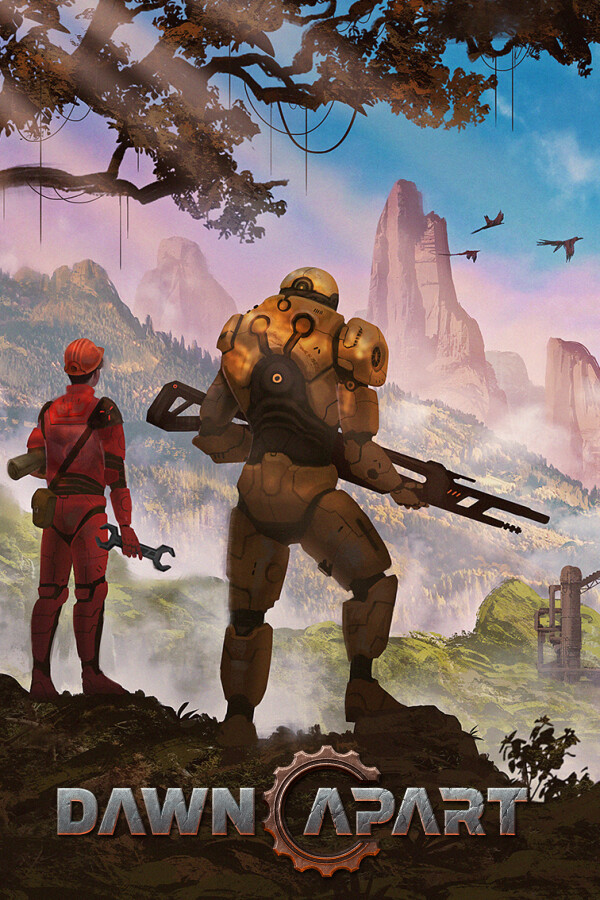
Dawn Apart is a single-player voxel colony and factory sim from Industrial Technology and Witchcraft. The simulation cost climbs with belts, pathing, raids, weather, and the Final Frontier power grid. This page mirrors the Steam PC requirements (verified around the 1.0 window) and adds practical performance tips. Hardware alone will not save a chaotic base — pair this with controls and sensible automation.
Official minimum specs
| Component | Minimum |
|---|---|
| OS | Windows 10 (64-bit) |
| CPU | Intel Core i7-4790K or equivalent |
| RAM | 16 GB |
| GPU | NVIDIA GeForce GTX 1080 8 GB |
| Storage | 4 GB available space |
| Notes | Minimum 8 GB VRAM required |
Official recommended specs
| Component | Recommended |
|---|---|
| OS | Windows 11 (64-bit) |
| CPU | Intel Core i7-13700K or AMD Ryzen 7 5800X3D |
| RAM | 16 GB |
| GPU | NVIDIA GeForce RTX 3060 8 GB |
| Storage | 4 GB available space |
| Notes | Minimum 8 GB VRAM required |
VRAM warning
Both columns insist on 8 GB VRAM. A newer GPU with only 6 GB does not meet the written requirement. Plan upgrades around VRAM as much as rasterization generation.
Platforms
Dawn Apart ships on Steam and the Epic Games Store for Windows PC. It is single-player — no multiplayer sessions server hosting tax, but the local sim still scales with colony size. Mixed Steam reviews (~mid-60s%) often mention jank and performance alongside praise for the fantasy; keep expectations calibrated via Updates and Links.
What actually stresses the game
- Wide conveyor networks and splitter spaghetti
- Large pawn counts pathing through multi-floor bases
- Night raids with many shooters and projectiles
- Destructible voxel edits (mining, C4, cave-ins)
- Power/stockpile job churn after Final Frontier
- Overlay software fighting the presenter’s GPU
A tidy mid-game base on recommended hardware feels fine; a maximalist megabase on minimum hardware hitching during It’ak waves is expected.
Performance tips
- Close overlays — Discord, GeForce Experience, RGB suites, and browser hardware acceleration cause microstutter more often than fans admit.
- Laptop power — plug in and use performance mode; battery profiles can halve frame time budget.
- Resolution vs colony size — drop resolution or shadows before deleting half your factory when FPS tanks mid-raid.
- Pause-heavy micromanagement — pause is free; frantic unpaused camera spins during pathing spikes are not.
- Limit simultaneous drafts — fewer agents in combat pathing helps CPU and loyalty (defense priority).
- Clean stockpiles — fewer invalid haul jobs means less AI thrash (controls).
- Fresh 1.0 colonies — legacy saves may misbehave; corrupted settings can be cleared from the IT&W AppData folder noted in Final Frontier.
- SSD install — 4 GB is small, but streaming voxel chunks still prefers solid-state.
Upscaling and settings philosophy
If you sit between minimum and recommended, prioritize stable sim tick over max foliage. Cap framerate to your display, disable unused room lights when scouting with F2, and avoid stacking every decorative blueprint on day three. Power graphs and climate still need to run — turning off gameplay systems to chase FPS defeats the power and food loop.
When hardware is not the bug
- Spaceport disabled → level the 3×3 pad, do not buy a new GPU.
- Machines idle → missing power icon or empty Soylent, not VRAM.
- Colonists stuck in doors → known pathing class bugs; update and verify patch notes.
- Loyalty collapse → read loyalty needs, not Device Manager.
Checklist before refund panic
- Confirm 16 GB RAM and 8 GB VRAM literally free/available.
- Update GPU drivers; remove aggressive overlays.
- Verify game files on Steam/Epic.
- Start a new post-1.0 colony if migrating from deep EA.
- Test a calm early save from Getting Started before judging megabase FPS.
- Skim latest Updates hub hotfixes for collider or stockpile stalls.
Meet the sheet, keep the colony honest, and Dawn Apart’s destructible factory fantasy stays playable. Miss the VRAM line and no tier list will save the frame time.
Frequently Asked Questions
Quick answers for Sirius B3 prospectors.
Can I run Dawn Apart with 8 GB of system RAM?
Not according to Steam. Both minimum and recommended list 16 GB RAM. 8 GB is below spec.
Is a 6 GB GPU enough if it is newer than a GTX 1080?
No. The store page requires at least 8 GB VRAM on both minimum and recommended.
Does the game support multiplayer?
No. Dawn Apart is single-player. Specs describe the local simulation only.
What CPU is recommended?
Intel Core i7-13700K or AMD Ryzen 7 5800X3D. Minimum is an i7-4790K-class processor.
Game stutters only during raids — upgrade immediately?
First reduce drafted units, overlays, and cluttered pathing. If you are already under the GPU/VRAM line, then yes, hardware is the bottleneck.